
If you’ve ever sent a logo to a printer and been told the file “isn’t high enough quality,” there’s a good chance it wasn’t a vector. So what is vector artwork, exactly? It’s a type of digital graphic built on mathematical paths, points, lines, and curves, rather than a grid of colored pixels. That distinction matters more than you might think.
Here at Dr. Tee’s Design & Screen Printing, we work with vector files every single day. After 20+ years of screen printing and graphic design in Kansas City, we can tell you that vector artwork is the backbone of clean, professional print results, whether it’s going on a t-shirt, a hoodie, or a polo for your crew. When a customer sends us a vector file, the job runs smoother, the colors stay sharp, and the final product looks exactly how they imagined it.
This article breaks down what vector art is, how it works, why it’s the preferred format for screen printing and logo design, and how it compares to raster (pixel-based) images. Whether you’re a business owner getting your first logo made or you just want to understand what your designer keeps asking for, you’ll walk away with a clear, practical understanding of vector artwork and why it matters.
How vector artwork works
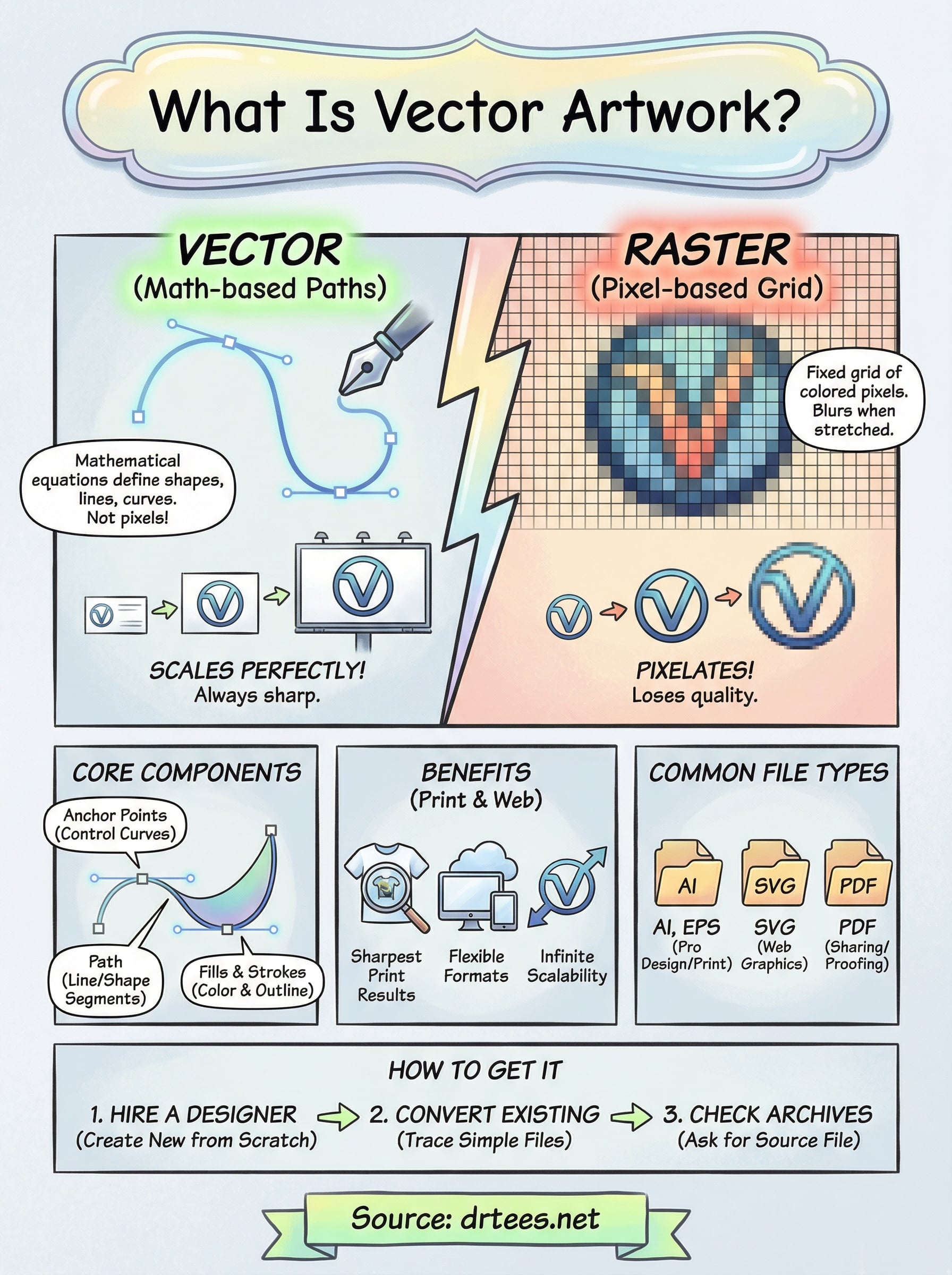
Vector artwork uses mathematical equations to define every element in a graphic. Instead of storing color data for individual pixels, a vector file stores instructions for drawing shapes: where a line starts, where it curves, and where it ends. Your computer reads those instructions and renders the image at any size without any loss of quality.
Paths, points, and anchors
The core building block of vector art is the path. A path is a line or shape defined by anchor points connected by straight or curved segments. When you look at a vector logo, what you’re actually seeing is a collection of mathematically defined paths filled with solid color. Programs like Adobe Illustrator let designers place and adjust anchor points with precision, which is why vector files are the standard for logo design and screen printing artwork.
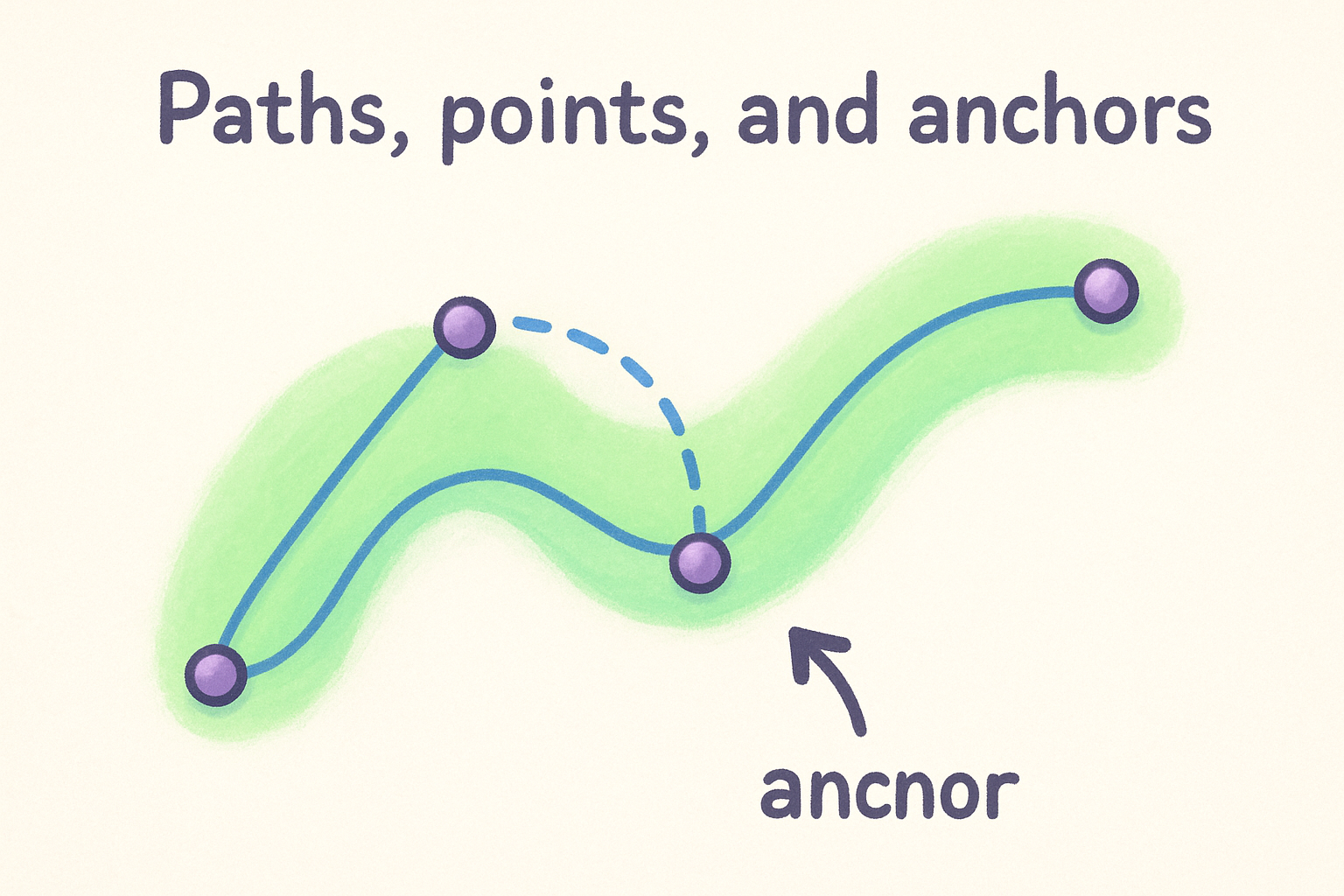
Common elements built from paths in a vector file include:
- Text outlines converted from fonts into editable shapes
- Logo shapes such as circles, polygons, and custom icons
- Color fills and strokes applied to closed or open paths
Why vectors scale without losing quality
This is where understanding what is vector artwork really clicks. Because vectors are built on math rather than pixels, resizing them is just a matter of recalculating the same equations at a new scale. A logo that prints cleanly on a business card will print just as cleanly on a banner or a storefront sign without any blurring or pixelation.
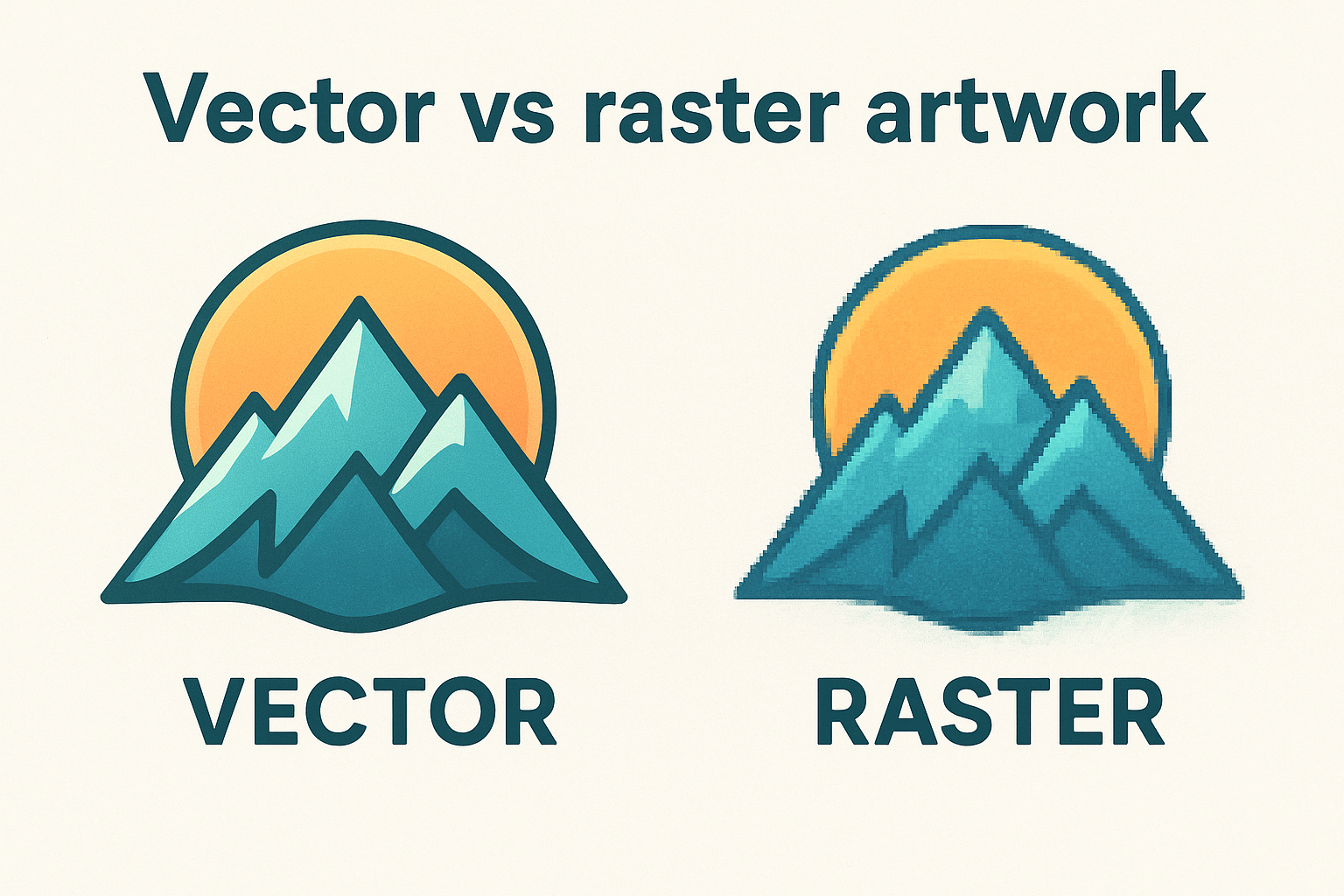
Raster images break down when you stretch them because the software has to guess what missing pixels should look like. Vectors never face that problem because the math recalculates perfectly every time.
Raster files contain a fixed number of pixels, so enlarging them forces the software to fill in gaps with guesswork. With vectors, there is nothing to fill in. The file simply redraws at the new size, which is why print shops and embroidery studios almost always ask for vector artwork first.
Benefits of vector artwork for print and web
Understanding what is vector artwork also means understanding why professional designers and print shops prefer it over other file types. Vector files give you a clean, flexible asset that works equally well across print and digital applications, from screen printing to website graphics.
Scalability without quality loss
Scalability is the most critical benefit for any print job. You can take a vector logo from a business card to the side of a van and the lines stay razor sharp. No blurring, no pixelation, no wasted print runs because the file couldn’t hold up at a larger size.
A single vector file can serve every size your brand ever needs, from a half-inch chest logo to a full-back print.
Your artwork recalculates perfectly at any dimension, which is why screen printers and embroidery shops always ask for vector files first.
Flexibility across formats and uses
Vector files also give you long-term versatility across platforms. You can export them as PDFs for print, SVGs for web, or PNGs for quick digital sharing, all from one source file. This flexibility matters when your brand needs to appear on:
- Embroidered hats and polos
- Screen-printed uniforms
- Digital ads and websites
- Business cards and flyers
One master vector file means you always have the right asset ready, no matter where your logo needs to go next.
Vector vs raster artwork
Knowing what is vector artwork becomes much clearer when you place it directly against raster art. These two formats look similar on screen but behave completely differently, and choosing the wrong one for a print job can cost you time, money, and a batch of shirts you can’t use.
What raster images are
Raster images are built from a fixed grid of pixels, where each tiny square holds a single color value. Photos from your phone, JPEGs, and PNGs are all raster files. They look sharp at the size they were created, but stretching them past their original resolution forces the software to guess at missing pixel data, which produces the blurry, jagged edges that printers reject.
If a print shop tells you your logo looks pixelated, you almost certainly sent them a raster file.
Key differences at a glance
The table below shows where each format wins and where it falls short:
| Feature | Vector | Raster |
|---|---|---|
| Scales without quality loss | Yes | No |
| Best for photos | No | Yes |
| Preferred for screen printing | Yes | No |
| File size at large sizes | Small | Very large |
| Editable shapes and colors | Yes | Limited |
Screen printing, embroidery, and logo design almost always require vector files. Raster formats work well for photography and detailed imagery, but your branded apparel artwork needs to be vector to hold up across every print size.
Common vector file types and when to use them
Once you understand what is vector artwork, the next practical step is knowing which file format to use for each situation. Not all vector formats work the same way, and sending the wrong one to a print shop can slow down your order.
AI and EPS files
AI (Adobe Illustrator) and EPS (Encapsulated PostScript) are the two formats most print shops and screen printers request. AI files are the native Illustrator format and give designers full editing access to every path, color, and layer. EPS files are slightly older but remain widely accepted across professional printing workflows. If your print shop asks for a vector file, one of these is almost always what they mean.
When you send an AI or EPS file for a screen printing job, the shop can separate colors cleanly and prepare accurate film positives or digital separations.
SVG and PDF files
SVG (Scalable Vector Graphics) is the format built for the web. Browsers read SVG files natively, which makes them ideal for website logos, icons, and digital graphics. PDF files serve a different role: they package vector data in a format that nearly any software can open, making them useful for sharing proofs, business cards, and flyers without requiring specialized design software. Both formats preserve vector quality and scale without any loss.
How to get vector artwork for a print job
Now that you know what is vector artwork, the practical question is how to actually get one. You have a few clear paths depending on where you’re starting from.
Work with a graphic designer
The cleanest option is having a professional graphic designer build your artwork in a vector program like Adobe Illustrator from day one. This gives you a source file you own and can reuse across every future print job, sign, or digital application. At Dr. Tee’s, we handle full logo creation and print-ready artwork as part of our design services, so you walk away with a file that works anywhere.
Ask your print shop to convert it
If you already have a logo saved as a JPEG or PNG, a good print shop can often trace it and convert it into a usable vector file. The quality of the result depends heavily on how clean and simple your original artwork is. Complex photos or heavily detailed raster images are much harder to convert without losing detail.
The simpler your logo design is, the faster and cleaner a vectorization conversion will be.
Check your existing files
Many businesses already have a vector master file sitting in an old email archive from when they first hired a designer. Before paying to recreate your logo, ask your original designer for the AI or EPS source file. Tracking it down first can save you significant time and cost.
Next steps for your artwork
You now have a solid answer to what is vector artwork and why it matters for every print job you run. Vector files give you clean, scalable artwork that holds up at any size, works across every format, and makes your print shop’s job faster and more accurate. That directly translates into better results on your shirts, hats, and uniforms.
If you already have a vector file ready, you’re in good shape. If you’re starting from scratch or working with a blurry JPEG, the right next move is getting proper artwork built before you order. At Dr. Tee’s, we handle logo creation and print-ready file preparation as part of our design services, so you leave with an asset that works long after your first order ships.
Ready to get your artwork done right? Start your project with Dr. Tee’s and we’ll walk you through every step from artwork to finished garment.
