
A logo is often the first thing customers notice about your brand, on your website, your business cards, and especially on the custom apparel your team wears every day. The Squarespace Logo Maker is a free browser-based tool that lets you design a simple logo without hiring a designer or learning complicated software. For small business owners, trade professionals, and organizations trying to get a brand identity off the ground, it’s an appealing starting point.
But there’s a gap between a quick logo mockup and a polished, print-ready design, particularly when that logo needs to look sharp on a screen-printed t-shirt or an embroidered polo. At Dr. Tee’s Design & Screen Printing, we work with Kansas City businesses every day who started with a basic logo and needed help refining it for professional apparel and promotional materials. We’ve seen what works, what doesn’t, and where free tools fit into the bigger picture.
This article breaks down exactly what the Squarespace Logo Maker is, how it works, what it produces, and where its limitations start to matter. Whether you’re exploring it for the first time or trying to decide if the output is good enough for your needs, you’ll walk away with a clear understanding of the tool and realistic expectations for what it can do.
What the Squarespace logo maker is in 2026
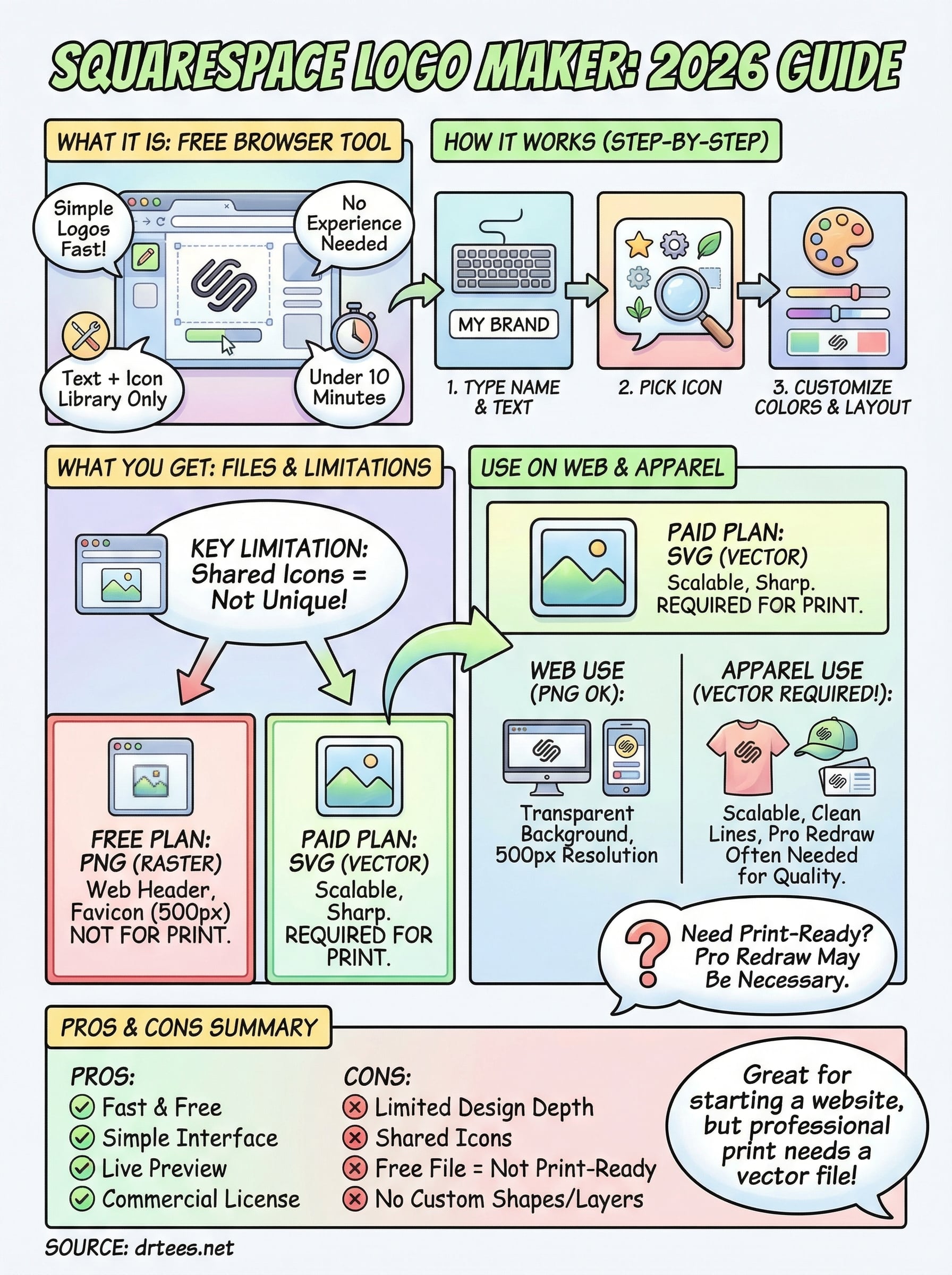
The Squarespace Logo Maker is a free, browser-based design tool that lets you build a simple logo directly in your browser, with no software downloads and no design experience required. You type in your business name, pick from a built-in icon library, select a font, adjust colors, and export the result. The whole process takes under ten minutes for most people. Squarespace built it primarily for website creators who want a quick visual identity before launching a site, and it delivers on that specific goal well.
How it fits into the Squarespace ecosystem
This tool lives inside Squarespace’s broader website-building platform, but you do not need a paid account to use the basic version. You can access the logo maker directly and create a logo without signing up for a subscription. What you do need a paid plan for is the high-resolution SVG file, which is the file format you need for anything beyond a website header. The free download is a PNG at standard resolution, which works on screen but falls short for print applications like embroidery, screen printing, or any physical branded material. If your logo needs to appear on a team shirt or a storefront sign, that distinction matters more than most people realize when they first use the tool.
For anything beyond a website header, the free PNG from Squarespace will not hold up. You need a vector file, and that requires either the paid plan or a redesign from scratch.
What the tool includes in 2026
By 2026, the squarespace logo maker still runs on the same core structure it has used since its launch: text paired with an icon. You select a business name, an optional tagline, one icon from Squarespace’s library, and then adjust layout, spacing, and color. The tool does not offer layer control, custom shapes, or advanced typography settings. Every design you produce draws from the same shared icon and font library that every other user accesses. That means your logo can look similar to another business’s if you make common choices. You get speed and simplicity in exchange for design depth, and that is the core tradeoff you need to understand before committing to it.
Why a solid logo matters for your website
Your logo is the visual anchor of your entire brand. Every page on your website, every social media post, and every piece of apparel your team wears connects back to that one mark. A weak or poorly constructed logo undermines trust before a potential customer reads a single word of your copy.
First impressions happen in milliseconds online, and your logo carries most of that weight on every page header.
The connection between logo quality and brand credibility
Visitors to your website make snap judgments about professionalism based on visual cues, and your logo sits at the top of that list. A pixelated or generic-looking mark tells people you cut corners, even if your actual product or service is excellent. Businesses that invest in a clear, well-constructed logo tend to see stronger recall and more consistent brand recognition across every channel they use.
Why your logo needs to work across formats
A logo built for a website header also needs to hold up on embroidered hats, screen-printed shirts, and printed business cards. That means it must work at small sizes, in single colors, and as a vector file that scales without losing quality. When you start with the squarespace logo maker, you get a fast starting point, but you need to understand early whether that output will translate beyond a browser screen before you commit it to physical materials.
How Squarespace logo maker works step by step
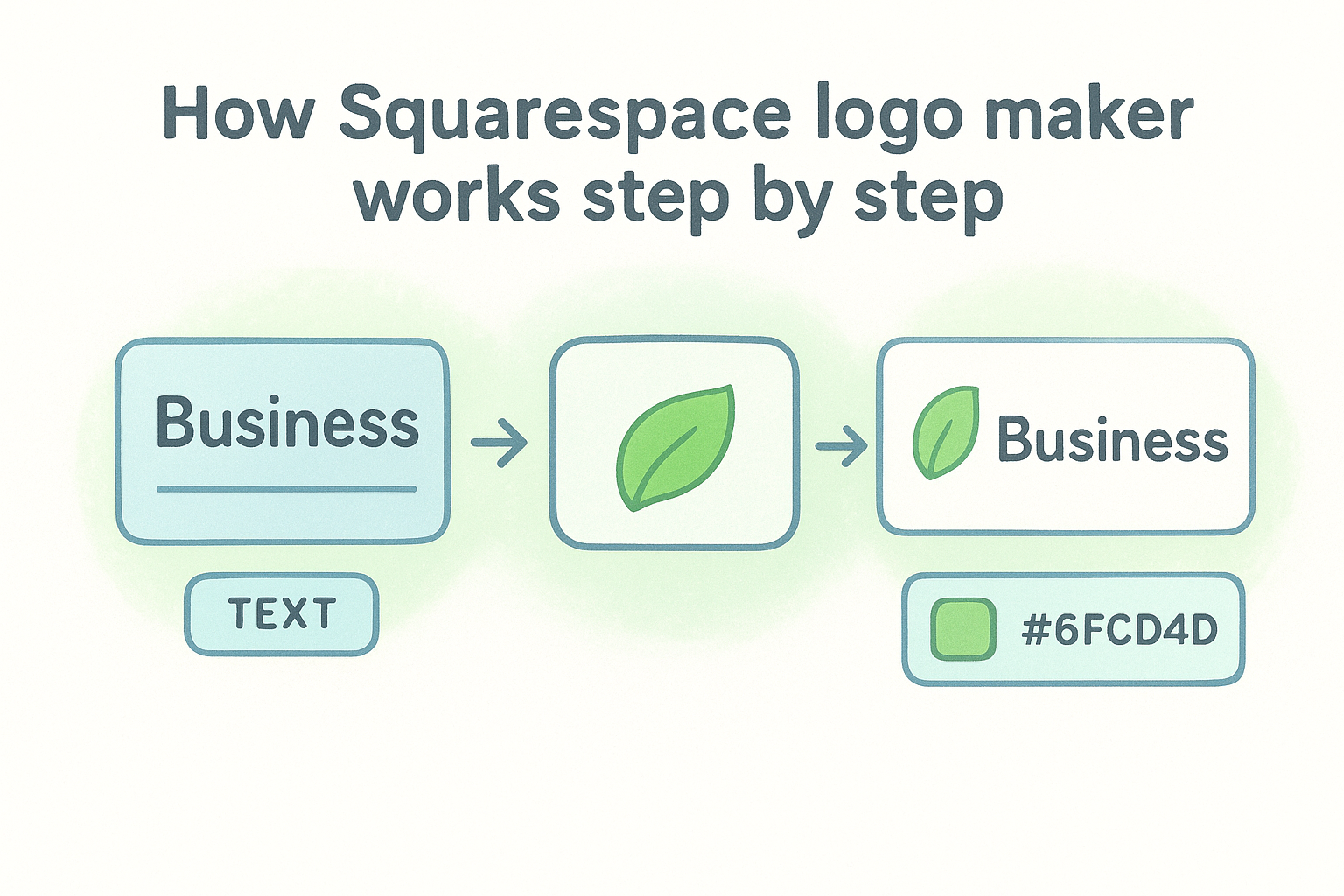
The squarespace logo maker follows a short, linear process that moves you from a blank canvas to a downloadable file in a few minutes. You do not need any prior design experience, and the tool guides you through each decision with a live preview that updates as you make changes.
Enter your business name and set your text
You start by typing your business name directly into the text field. The tool renders it immediately so you can see how it looks. You can also add an optional tagline below the main name, which some businesses use for a short descriptor. From there, you choose a font from the available library and adjust the size and spacing to your preference.
The font choices are limited, so if your brand already has a specific typeface, you may not find an exact match here.
Choose an icon and finalize your colors
Once your text is set, you search the built-in icon library using keywords related to your industry or brand. You pick one icon, position it relative to your text, and then select colors for both the icon and the text. The tool gives you a color picker and hex code input, which helps if you already know your brand colors. When everything looks right, you click download to export your file.
What you get: files, rights, and limitations
When you finish your design in the squarespace logo maker, you walk away with either a standard PNG file on the free plan or an SVG vector file on a paid Squarespace subscription. Understanding exactly what each file type gives you determines whether the output actually serves your business needs.
Files you receive after download
The free plan gives you a PNG at 500×500 pixels, which is fine for a website favicon or a social media profile image. The paid plan unlocks an SVG file, which is a scalable vector format that can be resized to any dimension without losing sharpness. For print applications like screen printing or embroidery, a vector file is not optional; it is the minimum requirement.
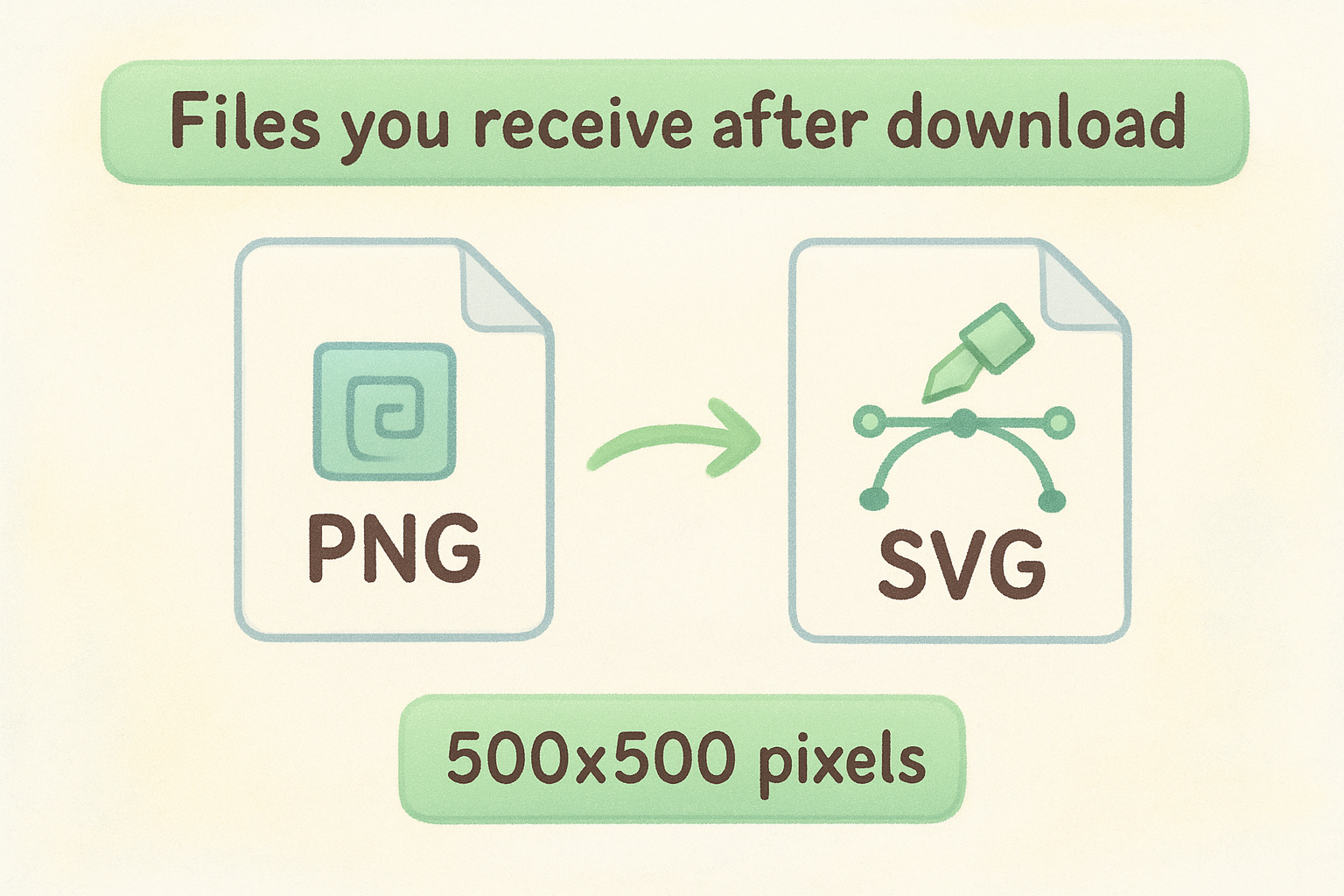
If you only download the free PNG and later need a shirt printed, you will have to rebuild the logo from scratch or pay a designer to vectorize it.
Rights and ownership
Squarespace grants you a license to use your logo commercially, which means you can put it on your website, marketing materials, and branded products. You do not receive an exclusive trademark automatically; that requires a separate filing with the USPTO. Be aware that because the icon library is shared across all users, another business could legally build a nearly identical logo using the same tool.
Key limitations to know
The tool does not support custom shapes, complex layering, or uploaded fonts. Every logo you create uses the same shared asset library, which caps how distinctive your final mark can be.
How to use your logo on web and apparel
Once you have your file from the squarespace logo maker, the next step is putting it to work across the places your brand actually appears. Your website and physical apparel have very different technical requirements, and treating them the same way is where most people run into problems.
Placing your logo on your website
Upload your PNG file directly to your Squarespace site header, favicon, and any social media profiles that represent your business. Make sure the background is transparent so your logo sits cleanly on any color behind it. The standard 500×500 PNG handles these placements well without any additional editing.
If your logo looks blurry on a retina display, your PNG resolution is too low and you need the SVG version from a paid plan.
Getting your logo ready for apparel
Physical apparel requires a vector file, not a raster PNG. Screen printers and embroidery shops need clean lines that hold up at any size, whether that goes on a full-back print or a small chest logo. If you only have the free PNG from Squarespace, a professional graphic designer can redraw your logo as a vector so it meets production standards.
At Dr. Tee’s Design & Screen Printing, we help Kansas City businesses bridge exactly this gap. If your current logo file is not print-ready, we handle the artwork preparation so your design looks sharp on every shirt, hoodie, or hat we produce.
Final thoughts
The squarespace logo maker gives you a fast, free way to build a simple visual identity, and for getting a website up quickly, it does the job. You get a working logo in minutes without hiring anyone or learning new software. The real limitation shows up when you need that logo to travel beyond your browser, onto shirts, hats, embroidered polos, or printed materials. At that point, file format and design quality start to matter in ways the tool was never built to handle.
If you already have a logo and need it print-ready for custom apparel, or if you want professional artwork built from the ground up, the team at Dr. Tee’s can take it from there. We handle design, file preparation, and production all in one place. Start your custom order today and see how straightforward the process really is.
