
You need custom shirts for your business, team, or event, but now you’re stuck deciding how to print them. The debate of screen printing vs digital printing comes up every time someone orders custom apparel, and for good reason. Each method handles color, fabric, and quantity differently, which directly affects your budget and the final look of your garments. Choosing the wrong one can mean overpaying for small orders or ending up with prints that crack and fade after a few washes.
At Dr. Tee’s Design & Screen Printing, we’ve spent over 20 years helping Kansas City businesses figure out exactly which printing method fits their project. We’ve printed everything from 12-piece orders for local contractors to 1,000-shirt runs for corporate events. That hands-on experience has taught us that the “best” method depends entirely on your specific situation, your design complexity, order size, timeline, and how long you need those prints to last.
This guide breaks down both printing methods side by side. You’ll learn how each process works, where one outperforms the other, and which scenarios call for which technique. By the end, you’ll have the clarity to make a confident decision for your next custom apparel order.
Why the printing method matters
Your choice between screen printing vs digital printing determines more than just how ink gets onto fabric. It affects your total project cost, how long your prints last through washing, what designs you can actually produce, and how quickly you receive your finished order. A method that saves you money on 500 shirts might cost you double on an order of 20. Similarly, a technique that produces vibrant photorealistic images might fail completely when you need a simple two-color logo on dark fabric.
The printing method also impacts your flexibility for future orders. Screen printing requires creating physical screens for each color in your design, which means you invest upfront in setup costs. Digital printing eliminates those screens entirely, treating each shirt like a printer treats a piece of paper. This fundamental difference creates a ripple effect across every aspect of your project, from your minimum order quantity to your color options to your turnaround time.
Cost differences based on order size
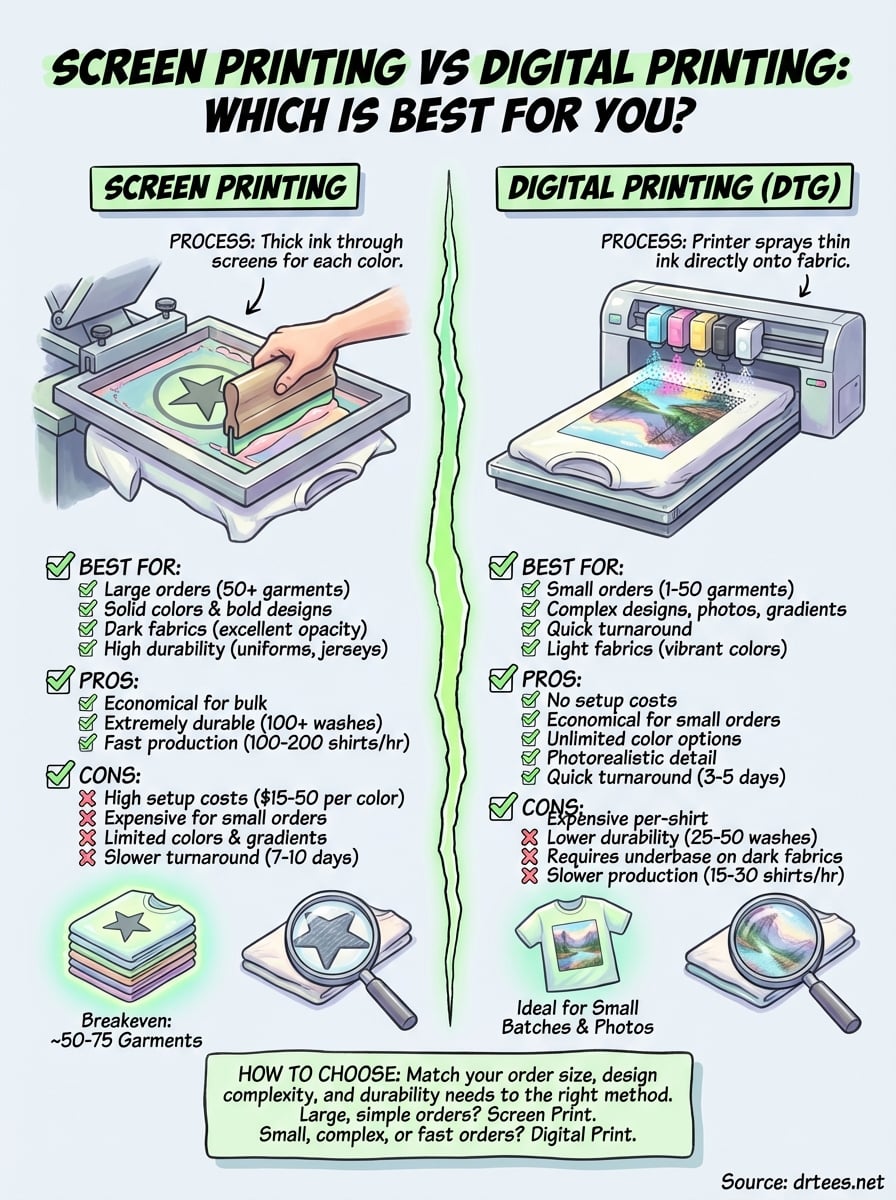
You pay for screen printing in two distinct phases: setup costs and per-item printing costs. The setup phase involves creating a screen for each color in your design, which typically runs $15 to $50 per screen depending on complexity. After that initial investment, each additional shirt costs very little to print, often just $3 to $8 per garment. This structure makes screen printing economical when you order larger quantities because you spread those setup costs across many shirts.
Digital printing works on the opposite model. Each shirt costs roughly the same amount whether you print one or one hundred, usually ranging from $10 to $25 per garment depending on the print size and garment type. You pay no separate setup fees because the printer transfers your design directly onto fabric without creating screens. For orders under 25 pieces, digital printing almost always costs less. Beyond 50 to 75 shirts, screen printing becomes the more budget-friendly option because those per-shirt costs stay consistently low.
The breakeven point where screen printing becomes cheaper than digital printing typically falls between 50 and 100 garments, though this varies based on your design’s color count and print size.
Durability and washing performance
Screen printing pushes thick layers of plastisol or water-based ink through mesh screens and into the fabric fibers. This creates a chemical bond with the textile that withstands hundreds of wash cycles without significant fading or cracking. We’ve seen screen-printed work shirts last five years or more in demanding environments like construction sites and commercial kitchens, where garments go through weekly industrial washing.
Digital printing sprays much thinner ink layers onto the fabric surface, similar to how your home inkjet printer works on paper. The ink sits primarily on top of the fibers rather than penetrating deeply into them. While modern digital inks have improved dramatically in recent years, they typically show visible wear after 25 to 50 washes. The prints may fade, develop cracks, or lose vibrancy, especially if you wash them in hot water or use harsh detergents.
Design complexity and color limitations
Screen printing assigns one screen to each color in your design, which means printing an eight-color logo costs significantly more than printing a two-color version. The method excels at solid colors, bold graphics, and designs with clear color separations. It struggles with photographic images, gradients, and designs requiring thousands of subtle color variations because creating individual screens for each shade becomes impractical and expensive.
Digital printing reproduces full-color photographs, gradients, and complex artwork without any additional cost or complexity. The printer can handle millions of colors in a single print job, making it ideal for detailed illustrations, photo-realistic images, or designs with soft color transitions. However, digital printing performs poorly on dark fabrics because the ink lacks the opacity to cover black or navy backgrounds effectively. Most digital prints on dark garments require a white underbase layer, which adds cost and can affect the final print quality.
How screen printing works
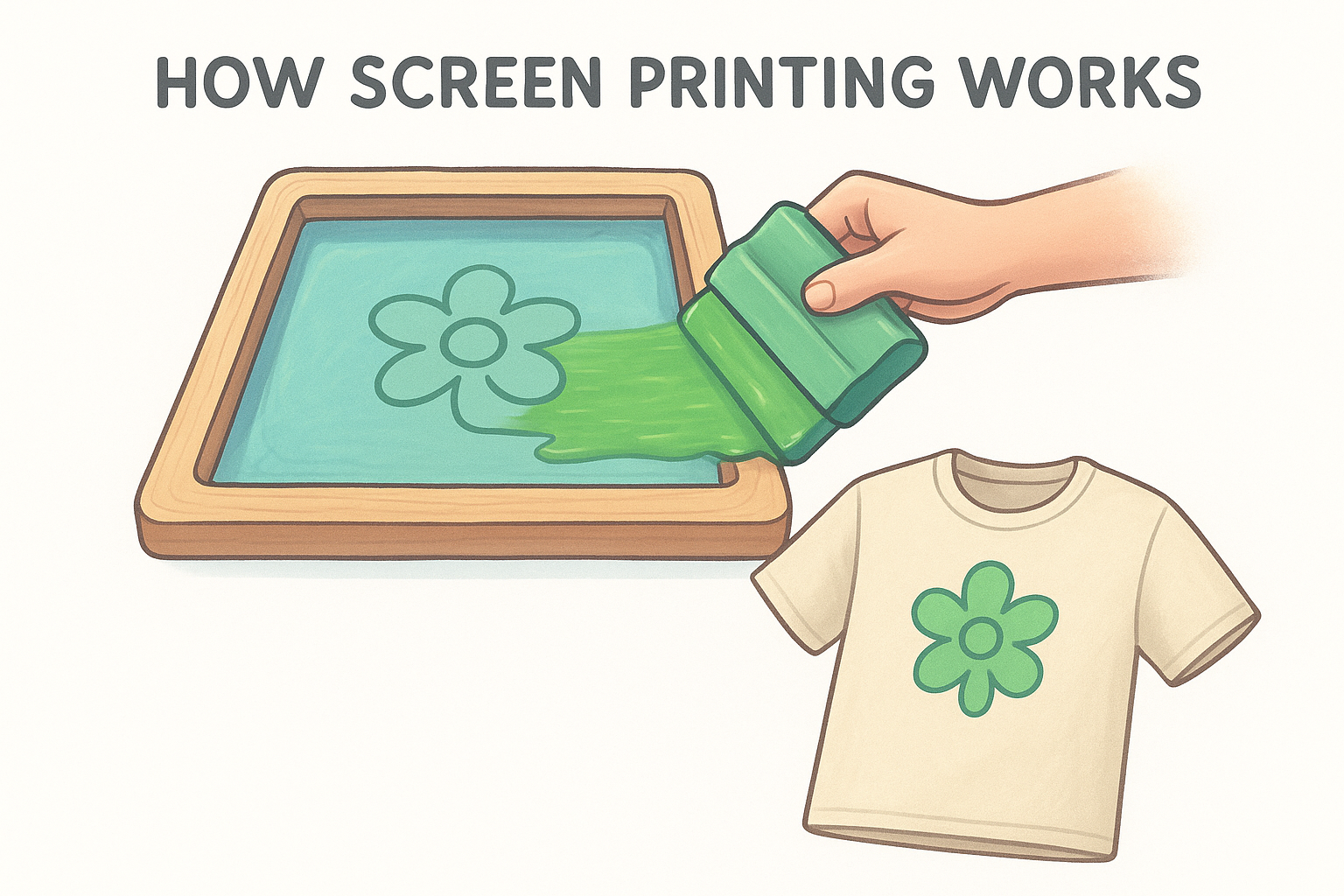
Screen printing transfers ink through mesh screens onto fabric using a simple but precise mechanical process. Each color in your design requires a separate screen, which gets coated with a light-sensitive emulsion. Your artwork gets printed onto transparent film, then placed on the screen and exposed to bright light. The emulsion hardens everywhere except where your design blocks the light, creating open mesh areas that allow ink to pass through.
The screen creation process
Your design file gets separated into individual color layers during the pre-press stage. Each color becomes its own black-and-white image printed on a sheet of transparent film. A screen maker coats mesh screens (stretched tight over aluminum or wooden frames) with photo-sensitive emulsion, then places your film on top and exposes it to ultraviolet light for several minutes.
The exposed areas of emulsion cure and become solid, while the areas covered by your black design remain soft and water-soluble. Washing the screen with a pressure sprayer removes the uncured emulsion, leaving open mesh holes in the exact shape of your design. This screen now works as a stencil that blocks ink everywhere except where you want it to print. The entire screen preparation process typically takes 30 to 60 minutes per screen, which explains why setup costs increase with each additional color in your design.
The printing process
The prepared screen gets mounted on a printing press with the garment positioned directly underneath. A printer loads thick plastisol or water-based ink above the screen, then pulls a rubber squeegee across the mesh with firm, consistent pressure. The squeegee forces ink through the open mesh areas and deposits it onto the fabric below in your exact design shape.
For multi-color designs, the printer repeats this process with each screen, carefully aligning them to ensure colors layer properly. Each color must cure or dry before applying the next layer to prevent bleeding or smearing. After printing all colors, the garment passes through a heat tunnel or dryer at 320 to 350 degrees Fahrenheit, which cures the ink and bonds it permanently to the fabric fibers. When comparing screen printing vs digital printing, this curing step creates the superior durability that screen printing is known for.
Screen printing can produce 100 to 200 shirts per hour once the screens are prepared and the press is running, making it extremely efficient for large production runs.
How digital printing works
Digital printing applies ink directly to fabric using technology similar to a large-format inkjet printer. Your design file goes straight from the computer to the printer without any screens, films, or physical setup steps. The printer reads your digital artwork as data, then sprays microscopic ink droplets onto the garment surface to recreate your image dot by dot. This direct-to-garment (DTG) approach eliminates the screen creation process entirely, which makes it faster and cheaper for small orders.
The file preparation process
Your artwork stays in its original digital format throughout the entire production process. A printer technician loads your design file into specialized software that automatically adjusts colors for fabric printing and optimizes the image resolution. The software converts your artwork into printer instructions that tell each nozzle exactly when and where to spray ink.
For light-colored fabrics, the printer can apply your design directly without additional preparation. Dark fabrics require a white ink underbase layer that gets printed first to prevent the dark fabric from showing through your colors. This white layer adds 30 to 45 seconds to each print but remains essential for achieving vibrant colors on black, navy, or other dark garments. The software handles this underbase calculation automatically based on your chosen garment color.
The printing and curing process
The garment gets placed on a flat platen inside the printer, where vacuum suction or adhesive spray holds it perfectly flat during printing. Multiple print heads move across the fabric while spraying CMYK inks (cyan, magenta, yellow, and black) plus white ink when needed. Each print head contains hundreds of tiny nozzles that fire thousands of ink droplets per second, building your design one horizontal pass at a time.
After printing, the garment moves to a heat press or conveyor dryer that cures the ink at temperatures between 330 and 375 degrees Fahrenheit for 30 to 60 seconds. This heat treatment bonds the water-based ink to the fabric fibers and ensures the print withstands washing. The entire printing and curing cycle takes two to four minutes per shirt, which makes digital printing slower than screen printing for large quantities. When weighing screen printing vs digital printing, this per-shirt timing difference becomes significant at higher order volumes but matters less for orders under 50 pieces.
Digital printing produces the most accurate color reproduction for complex designs because it can spray millions of color variations without creating separate screens for each shade.
Screen printing vs digital printing at a glance
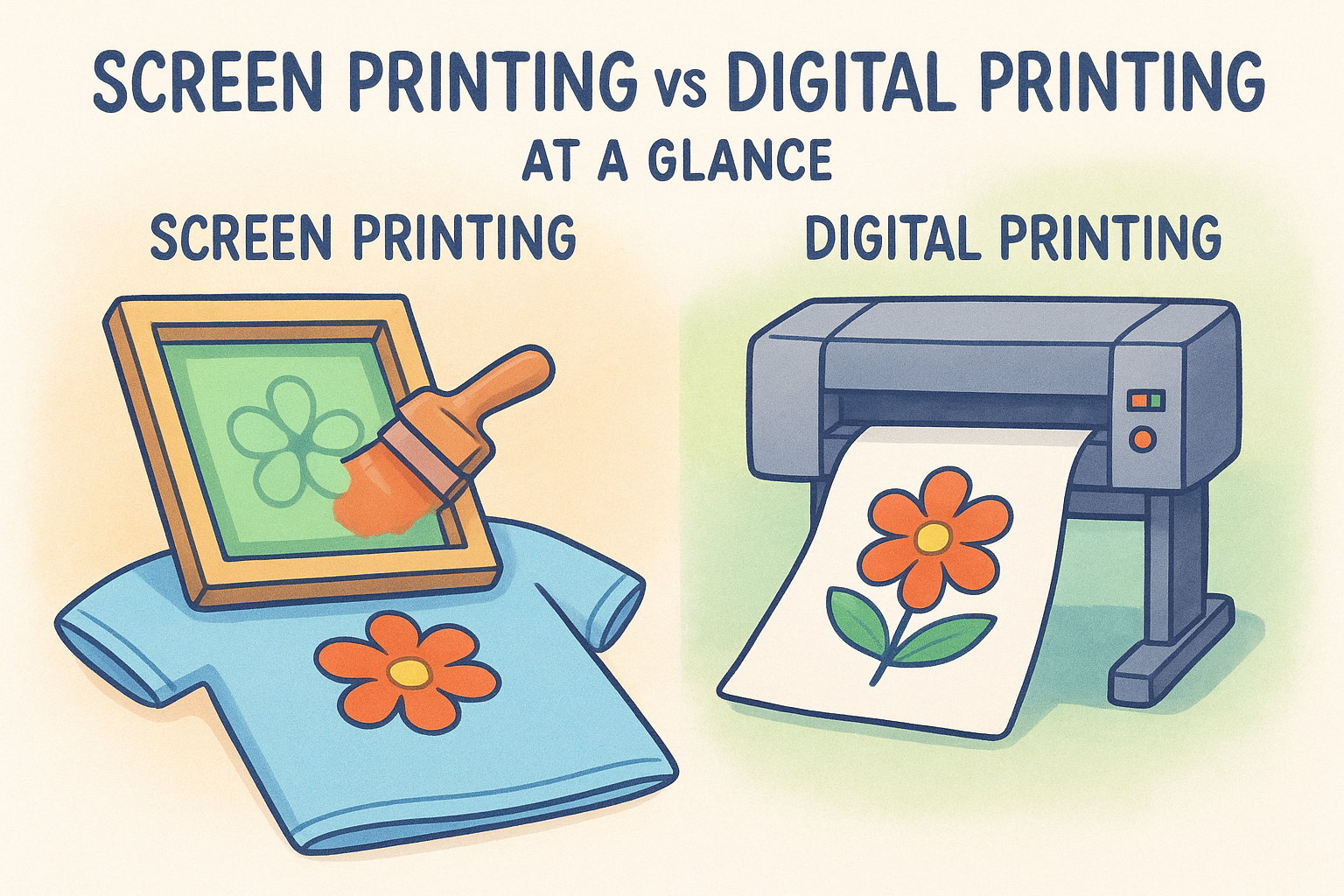
You need a quick reference to compare these two printing methods without rereading everything. This side-by-side breakdown highlights the most important differences between screen printing and digital printing so you can quickly assess which method fits your project requirements. The comparison covers cost structure, order size, durability, design capabilities, and production speed to give you a complete overview in one place.
Key differences comparison
| Factor | Screen Printing | Digital Printing |
|---|---|---|
| Best for order size | 50+ garments | 1-50 garments |
| Setup costs | $15-$50 per color | None |
| Per-shirt cost | $3-$8 | $10-$25 |
| Durability | 100+ washes with minimal fading | 25-50 washes before visible wear |
| Color options | Best for 1-4 solid colors | Unlimited colors including photos |
| Dark fabric printing | Excellent opacity and coverage | Requires white underbase, less vibrant |
| Design complexity | Simple logos and bold graphics | Photographs and gradients |
| Production speed | 100-200 shirts per hour | 15-30 shirts per hour |
| Turnaround time | 7-10 days (includes setup) | 3-5 days |
| Ink feel | Thicker, raised texture | Thin, softer hand feel |
When each method makes sense
Screen printing delivers the best value when you order larger quantities and need prints that survive years of heavy use. Your uniforms, team jerseys, and promotional merchandise benefit from the method’s durability and low per-unit costs once you exceed 50 pieces. The setup investment pays for itself quickly through volume, and the thick ink layers maintain their appearance through hundreds of wash cycles without cracking or significant color loss.
Digital printing serves you better for small batches, complex artwork, or quick turnaround projects. You avoid setup fees entirely, which makes ordering 12 to 25 shirts financially practical. The method shines when your design includes photographs, intricate illustrations, or gradients that would require dozens of screens to reproduce through traditional screen printing vs digital printing methods. However, you trade some durability for this design flexibility and cost efficiency on smaller runs.
Your final choice between these methods depends on balancing your order quantity, budget constraints, design complexity, and how long you need the prints to last through regular wear and washing.
How to choose the best option for your order
Your decision between screen printing vs digital printing starts with asking yourself four specific questions about your project. These questions address the factors that create the biggest cost and quality differences between the two methods. Walking through this evaluation process takes five minutes but saves you from ordering the wrong printing method and wasting money or ending up with prints that don’t meet your needs.
Start with your order quantity
Count exactly how many garments you need for this project and any potential reorders within the next six months. Screen printing becomes cost-effective around 50 to 75 pieces because you spread the setup costs across enough shirts to make the per-unit price competitive. Digital printing makes more financial sense for orders under 50 pieces since you avoid setup fees entirely.
You also need to consider whether you’ll reorder the same design multiple times. Screens can be stored and reused for future orders, which means your second order of 50 shirts costs significantly less because you skip the screen creation phase. Digital printing maintains the same per-shirt cost every time you reorder since no screens exist to store or reuse.
Evaluate your design complexity
Look at your artwork and count how many distinct colors appear in the design. Simple logos with one to four solid colors work perfectly for screen printing without driving costs too high. Photographs, gradients, or illustrations with dozens of color variations require digital printing because creating individual screens for each shade becomes impractical and expensive.
The fabric color matters just as much as your design complexity. Dark garments show screen printing’s superior opacity since the thick ink layers cover black or navy backgrounds completely. Digital printing struggles on dark fabrics and requires a white underbase that adds cost and can affect print quality.
Factor in your timeline and durability needs
Screen printing requires seven to ten days to complete orders because of the screen preparation time. Digital printing typically ships in three to five days since the process skips the entire screen creation phase. Your deadline might eliminate one option immediately if you need shirts within 48 hours or have six weeks to wait for the best price.
Think about how long you need these garments to last through regular wear and washing. Work uniforms, team jerseys, and promotional items that get worn weekly benefit from screen printing’s durability, which maintains appearance through 100-plus wash cycles. Event shirts or limited-run designs that get worn occasionally can use digital printing without concern about long-term durability.
Your order quantity, design complexity, timeline, and durability requirements work together to point you toward the printing method that delivers the best combination of quality and value for your specific project.
Final takeaways
The screen printing vs digital printing decision breaks down to three core factors: your order quantity, design complexity, and how long you need the prints to last. Screen printing wins for orders above 50 pieces, simple designs with solid colors, and garments that face years of heavy washing. Digital printing serves you better for small batches, photographic artwork, and projects with tight deadlines. Neither method works for every situation, which means matching your specific project requirements to the right printing technique determines your success.
You now understand how each process works, what drives the cost differences, and which scenarios favor one method over the other. The next step involves getting an accurate quote based on your actual design, garment selection, and quantity needs. Contact Dr. Tee’s Design & Screen Printing to discuss your project details and receive a custom quote that matches your budget and timeline requirements.
