
You’ve got a color picked out for your brand, your team shirts, or your next event, but you need the exact Pantone Matching System (PMS) code before any printer can run the job. That’s where a pantone color finder comes in. These tools let you convert HEX values, RGB codes, or even uploaded images into precise PMS numbers that screen printers and embroiderers rely on to match your colors accurately.
At Dr. Tee’s Design & Screen Printing, we handle custom ink color matching every day for businesses across Kansas City. After 20+ years of screen printing, we know that a wrong color code means wasted ink, wasted shirts, and a frustrated customer. Getting the right PMS code upfront saves everyone time and money.
Below, we’ve rounded up five solid tools that will help you identify and match Pantone colors from just about any source, whether you’re starting with a HEX code, an RGB value, or a photo of a color you like. Each tool works a little differently, so we’ll break down what each one does best and when to use it.
1. Dr. Tee’s Pantone matching for screen printing
Dr. Tee’s Design & Screen Printing offers direct Pantone color matching with every screen printing order. Rather than using a standalone pantone color finder, you work with a printer who has 20+ years of experience turning brand colors into accurate PMS codes matched to physical ink.
What it does best
Dr. Tee’s specializes in custom ink color matching for screen printing jobs across Kansas City. You bring your color reference and the team converts it to the correct PMS number, then mixes ink to match before any shirts get printed.
Getting the PMS code right before the job runs is what separates a clean finished result from a batch of shirts you can’t use.
- Supports 1 to 8 colors per design
- Matches colors across cotton, poly blends, and tri-blends
- Covers t-shirts, polos, hoodies, hats, and tote bags
How to use it for HEX and RGB
You share your HEX or RGB value when submitting your order or design file. The team finds the closest PMS equivalent and accounts for how that ink will read on your specific fabric type before confirming the match.
If the nearest PMS option shifts on your fabric, Dr. Tee’s will flag the difference and recommend an adjusted color before any printing starts.
How to use it for image sampling
Send your logo file, brand photo, or product image and the team samples the target color directly, matching it to the best available PMS code for screen printing.
This works especially well when you have a visual reference but no PMS number, which is common for businesses without formal brand color documentation.
Pricing and access
Color matching is included in your standard screen printing order at no extra charge. Minimums start at 12 units, which keeps this accessible for small businesses and local organizations.
Dr. Tee’s also handles up to 1,000 pieces per job, so the same color matching process scales with your volume without adding extra fees.
2. Pantone Color Finder
Pantone runs its own official pantone color finder at pantone.com, giving you direct access to the source library that printers and designers have used as the color standard for decades. This is the most authoritative reference point you can use when you need a confirmed PMS code for a professional print job.
What it does best
The tool lets you search the full Pantone color library by name, number, or color family. Because it pulls directly from Pantone’s official database, every result you get is a verified, print-ready code that any screen printer can work from.
This is the closest you get to a ground-truth reference when accuracy on a print job matters.
How to use it for HEX and RGB
You enter your HEX value into the search field and the tool returns the nearest matching PMS codes from the library. Results show you the color name, PMS number, and hex equivalent side by side so you can compare before committing.
How to use it for image sampling
The standard Pantone Color Finder does not support image uploads for color sampling. You need to extract your HEX or RGB value from your image first using a separate tool, then bring that value into the search.
Pricing and access
Basic search is free with a Pantone account. Full library access and extended features require a paid Pantone Connect subscription.
3. Pantone Connect
Pantone Connect is Pantone’s dedicated platform built for designers who work with color across digital and print workflows. It goes beyond a basic pantone color finder by giving you tools to build palettes, sync colors across Adobe apps, and share references with your team or printer.
What it does best
Pantone Connect lets you search, organize, and export PMS codes in one place. The platform integrates directly with Adobe Creative Cloud, which means you can pull verified PMS values into Illustrator or Photoshop without switching tabs or manually entering codes.
This makes it the strongest option if you work inside Adobe tools regularly and need your color references to stay consistent across every file.
How to use it for HEX and RGB
You enter a HEX or RGB value into the search bar and Pantone Connect returns the closest matching PMS codes with visual swatches. The results also show the CMYK and LAB equivalents so you can cross-reference across color modes.
How to use it for image sampling
Pantone Connect does not support direct image uploads for color extraction. You need to pull your color values from an image first, then run that HEX or RGB code through the platform.
Pricing and access
Pantone Connect offers a free tier with limited searches. Full access, including Adobe plugin integration and unlimited palette saves, requires a paid subscription starting at around $59.99 per year.
4. Printkick colour match tool
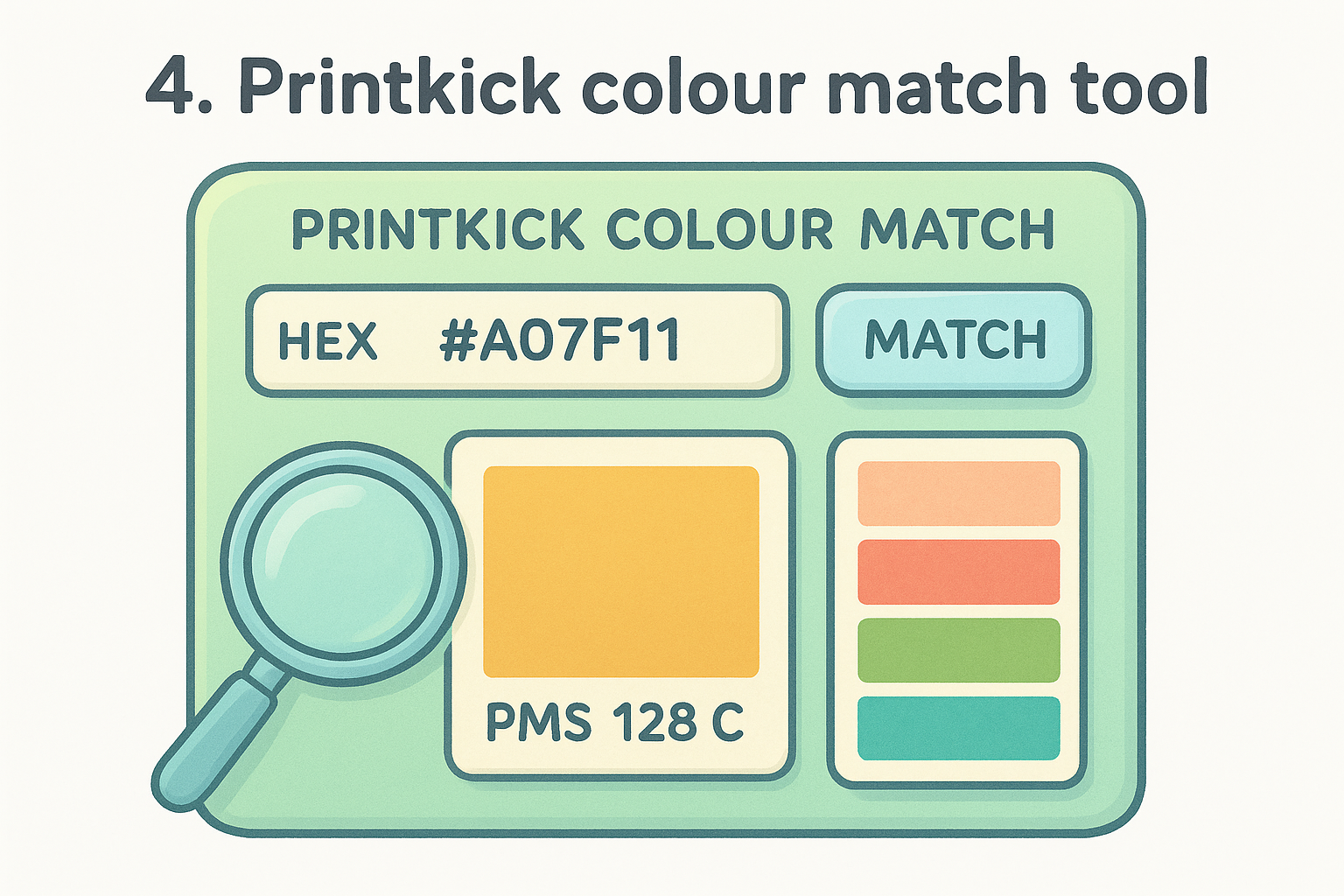
Printkick built its colour match tool specifically for screen printers and apparel decorators, making it one of the more practical pantone color finder options for people already thinking about a physical print job. The tool focuses on real-world print accuracy rather than purely digital colour theory.
What it does best
Built with screen printing in mind, this tool helps you find the closest PMS code for your colour based on how inks actually behave during a real print job. It strips out the guesswork by focusing on colours that translate well from digital input to physical garment.
This makes it more useful than a general-purpose colour picker when your end goal is printed apparel.
How to use it for HEX and RGB
You enter your HEX value directly into the tool and it returns the nearest Pantone match. Results are clean and straightforward, showing you the PMS code and colour name without extra noise.
How to use it for image sampling
Printkick’s tool does not support direct image uploads. You need to pull your HEX or RGB value from a separate colour picker or design tool first, then bring that value into the converter.
Pricing and access
The tool is completely free to use with no account required. You open it in your browser, enter your value, and get your PMS result right away.
5. DNS Checker HEX to Pantone converter
DNS Checker offers a no-frills HEX to Pantone converter that works as a fast, browser-based pantone color finder when you just need a quick code and nothing else. There is no signup, no dashboard, and no features beyond the core conversion.
What it does best
This tool gives you a fast PMS result from a HEX input with zero friction. If you already have your HEX value ready, you can go from open browser to confirmed Pantone code in under a minute.
This makes it the right choice when speed matters and you do not need palette management or Adobe integration.
How to use it for HEX and RGB
You paste your HEX value into the input field and the tool returns the nearest Pantone match immediately. The result displays the PMS code and color name without extra steps or distractions.
How to use it for image sampling
DNS Checker does not support image uploads. You need to extract your HEX value from your image using a separate color picker tool before running it through the converter.
Pricing and access
The tool is completely free with no account required. Open it in your browser and start converting right away.
Next steps
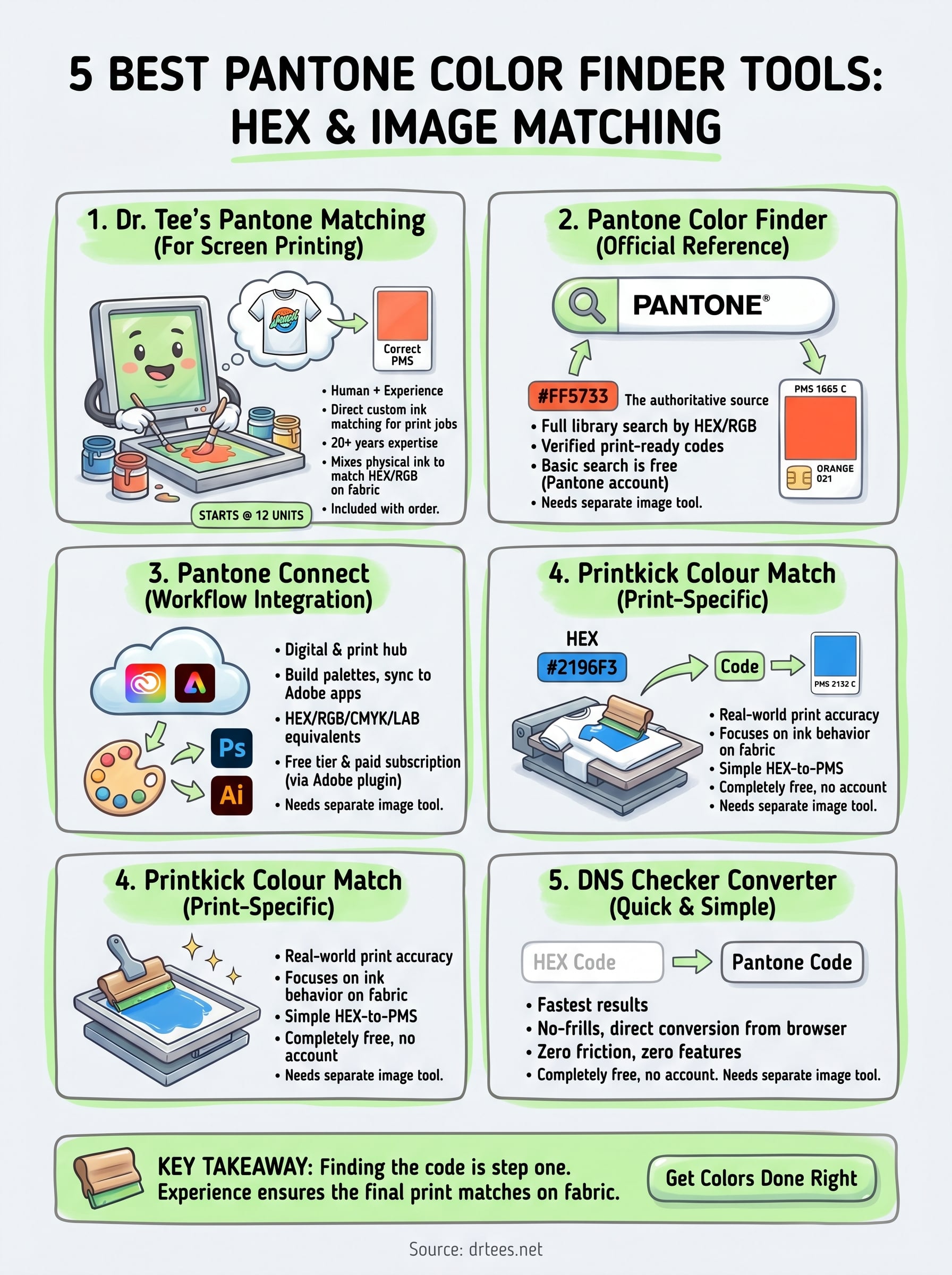
Each pantone color finder on this list solves a specific part of the color matching problem. If you need a fast HEX conversion with no setup, DNS Checker or Printkick get you there in seconds. If you work inside Adobe tools daily, Pantone Connect is worth the subscription. For the most authoritative reference, Pantone’s own finder gives you a verified code straight from the source.
But finding the right PMS code is only step one. You still need a printer who can take that number and mix ink that actually matches on fabric. That is where experience makes the difference. At Dr. Tee’s, color matching is part of every order, and the team flags any shifts before your job runs so you are not surprised by the final result.
If you are ready to move from color code to finished shirts, start your order with Dr. Tee’s Design & Screen Printing and get your colors done right the first time.
